Set up and look after your trackers
Step-by-step guides for fitting both trackers, changing batteries, and what to check if something doesn’t look right.
Install a plug-in tracker
It arrives set up and linked to your account. Fitting it takes a minute, with no tools or wiring.
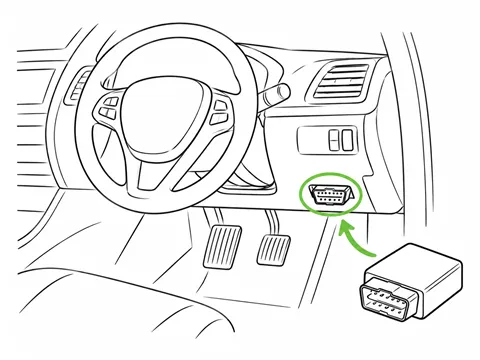 1Find the OBD-II port
Usually under the dash on the driver’s side, near the steering column. Some sit behind a small cover.
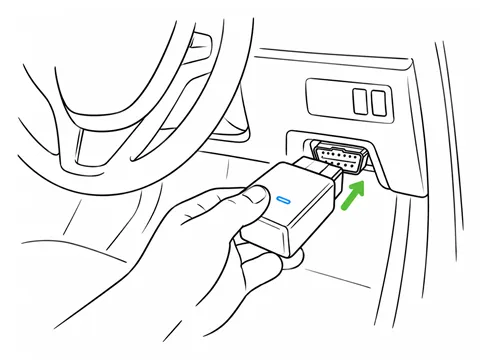 2Plug it in
With the engine off, push the tracker in firmly. A blue light means it has power.
 3Go for a drive
Open sky helps. The first position can take up to 10 minutes.
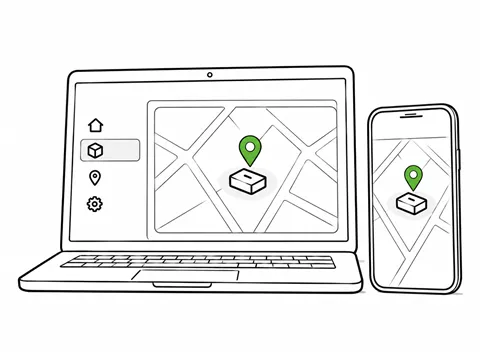 4Check Knowsy
Sign in, open Assets and give the tracker a name, such as the vehicle’s registration.
Want it out of sight?
Fit it behind the dash with an OBD-II splitter cable, so the port stays free for a mechanic’s scanner. Ask us and we’ll include one.
How often it reports
About every minute while the vehicle moves, and a few times a day when it’s parked. Trips start and end on their own.
Fit a battery tracker
It arrives with batteries fitted, set up and linked to your account. Where you put it matters more than how.
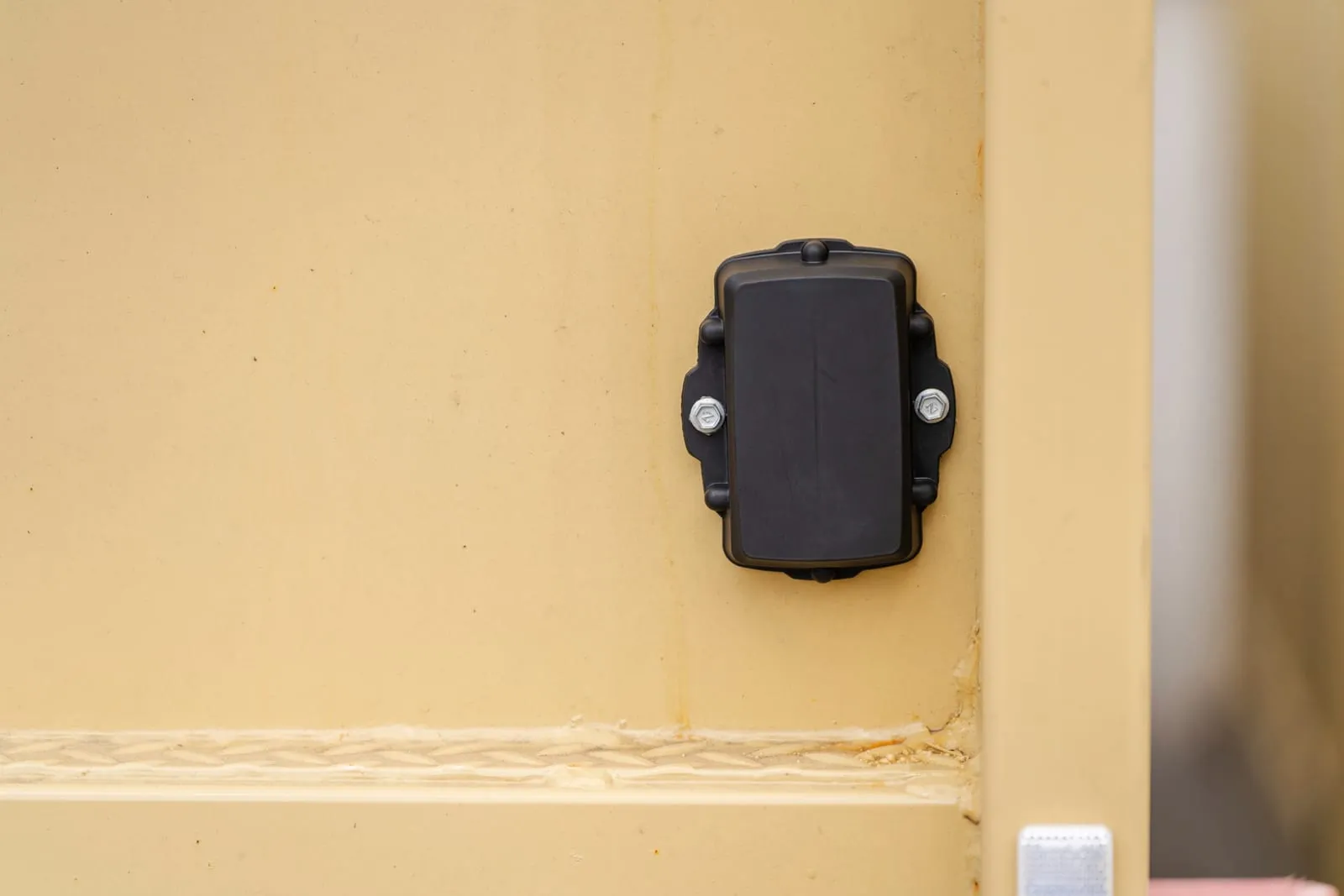
- 1Pick the spotSomewhere it won’t be knocked, crushed or easily found, with as much view of the sky as you can give it.
- 2Face it the right wayMount it with the top facing the sky and the screw heads facing down.
- 3Keep it out of metal boxes and heatDon’t enclose it fully in metal, which blocks the signal, or leave it somewhere that bakes in the sun without airflow.
- 4Fix it onUse screws, bolts, rivets or cable ties through the mounting lugs. Stainless screws come in the box.
- 5Check KnowsyIt reports more often when it moves. Give it a short trip, then name it under Assets.
Change the batteries
Knowsy shows each tracker’s battery level, so you’ll see it coming. Changing them takes five minutes.
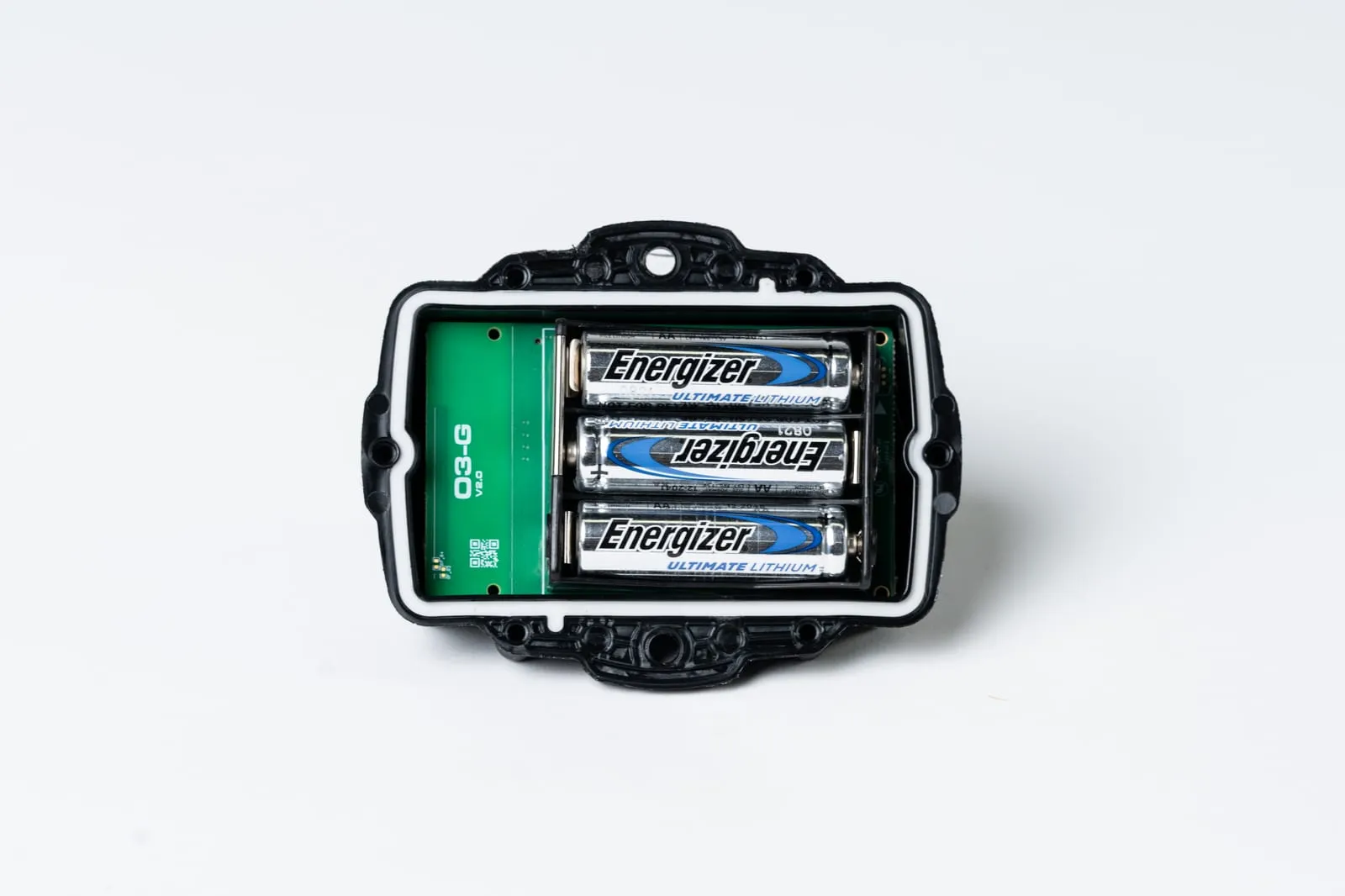
- 3 × AA lithium batteries, such as Energizer Ultimate Lithium
- A screwdriver to suit the six lid screws
- 1Undo the six screwsLift off the lid and take out the old batteries. Recycle them.
- 2Fit three fresh batteriesAA lithium, from the same packet. Match the + and − marks in the holder: the batteries alternate direction, as in the photo.
- 3Check the sealThe clear silicone seal should lie flat, clean and undamaged, with no grit or plastic on it.
- 4Close it evenlySqueeze the lid gently shut and tighten all six screws to the same snug tightness, leaving an even gap of about 1 mm. Don’t force them.
- 5Check KnowsyAfter its next report, the battery reading on the asset page should be back up.
Never mix old and new batteries, different brands, or lithium and alkaline. Mixing can make them leak.
Troubleshooting
The tracker isn’t showing up after I fitted it
Give it time and sky. A plug-in tracker needs a drive in the open, and its first position can take up to 10 minutes. A battery tracker reports when it moves and on its schedule, so move it or wait for its next check-in. Still nothing after a day? Email us and we’ll check it from our end.
There’s no light on the plug-in tracker
Push it fully into the port. Some vehicles only power the OBD-II port with the ignition on, so start the vehicle and check again.
Its position looks a little out
Positions are accurate to about 2 m with a clear view of the sky. Under a roof or deep inside a load, the battery tracker may fall back to a position from the cell network, which is less precise.
Knowsy says the tracker was unplugged
The plug-in tracker flags it when it loses power, so you’ll know if it was pulled out or the vehicle battery was disconnected. Plug it back in and it carries on.
Which batteries should I buy?
Three AA lithium batteries, such as Energizer Ultimate Lithium, from any hardware store or supermarket. Avoid alkaline, which doesn’t last as long, and never mix old and new.
I’ve sold the vehicle or the asset
Take the tracker off, then retire it in Knowsy. Billing stops the next day, and you can fit the tracker to something else.